
Buy from a sale
Once an investor has created an account and passed KYC and KYB, they can connect to the whitelabeled marketplace and start the buy from a sale flow:
- Accessing Sales
From the Home Page, investors can click on “Explore Opportunities” to view the full list of tokenized sales (projects).
Alternatively, investors can scroll down on the landing page to the Sales section and select a project directly.
- Sale Page Overview
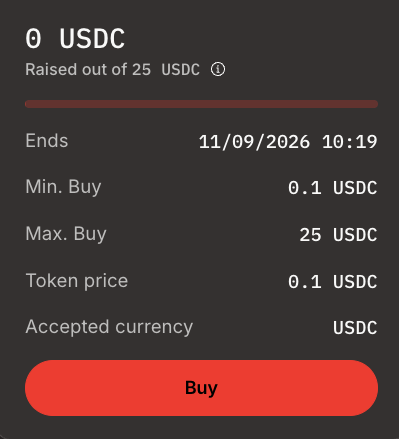
When selecting a sale, investors are redirected to its dedicated Sale Page. Each sale card displays key parameters:
- Ends: Sale closing date and time
- Min Buy: Minimum investment allowed (in tokens)
- Max Buy: Maximum investment allowed (in tokens)
- Token Price: Price per token
- Accepted Currency: Supported payment currency symbol(s)
- Purchase Flow
- Investors click the “Buy” button on the sale card.
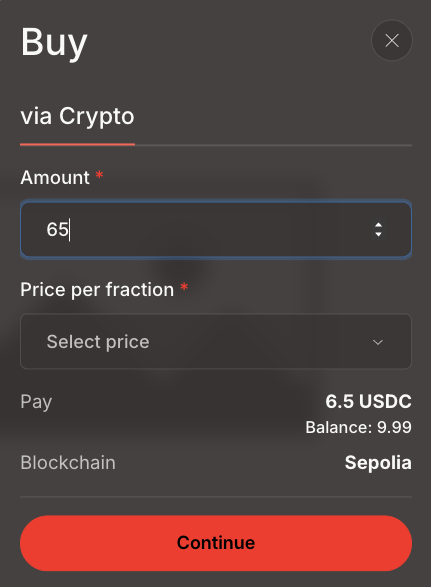
- A modal opens where they input the desired purchase amount.
- Clicking “Continue” prompts their connected wallet to validate the transaction.
- Transaction Confirmation
Investors confirm the transaction in their wallet.
Upon success, the purchased tokens are allocated and visible in their wallet and "My position" tab.
Updated 11 months ago
Did this page help you?